









Remember when Chrome’s biggest trick was remembering your passwords? Those days are over. Google just announced Chrome Auto Browse, a feature that lets Gemini AI actually browse websites and complete tasks for you. We’re talking about shopping, booking appointments, filling out forms, and comparing products across multiple tabs.
Chrome Auto Browse rolled out today as a preview for Google AI Pro and Ultra subscribers in the US. It’s powered by Gemini 3 and lives in a new side panel that stays with you no matter which tab you’re using. The AI can navigate websites, click buttons, add items to carts, and handle multi-step tasks that usually eat up your time.
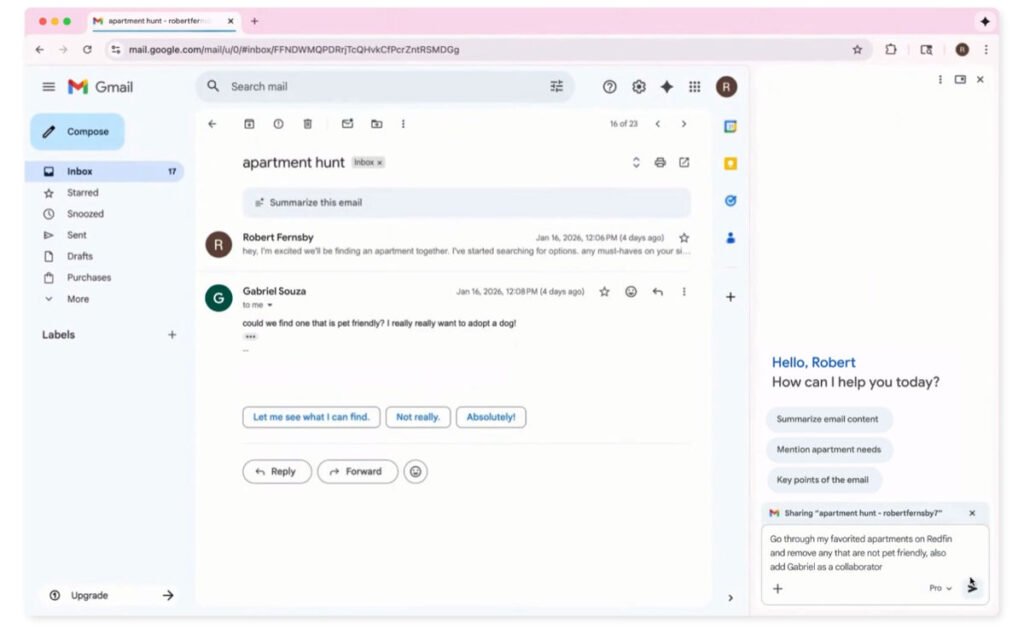
Here’s how it works. You tell Gemini what you need through the side panel. Let’s say you want to plan a Y2K-themed party. Chrome Auto Browse can look at an inspiration photo, identify the decorations, search for similar items online, and add them to your cart while staying within your budget.
The AI doesn’t do everything without asking. Google built in safeguards so Chrome Auto Browse will pause before making purchases or posting on social media. You’ll need to give final approval for those actions. If it needs to log into a website, it’ll request access to your saved credentials in Google Password Manager first.
What else is new in Chrome
Beyond browsing assistance, Google added several features to make Chrome smarter. The side panel now supports Nano Banana, Gemini’s image generation tool. You can modify photos directly in your browser without downloading or reuploading them.
Gemini in Chrome also works with other Google apps now. It can pull information from Gmail, Calendar, YouTube, and Google Flights without opening new tabs. Google says Personal Intelligence is coming to Chrome in the next few months too. That’ll let Chrome remember context from past conversations and tailor responses based on your preferences.
Chrome Auto Browse is available now for Google AI Pro and Ultra plan subscribers on Windows, Mac, and Chromebook Plus in the US.