








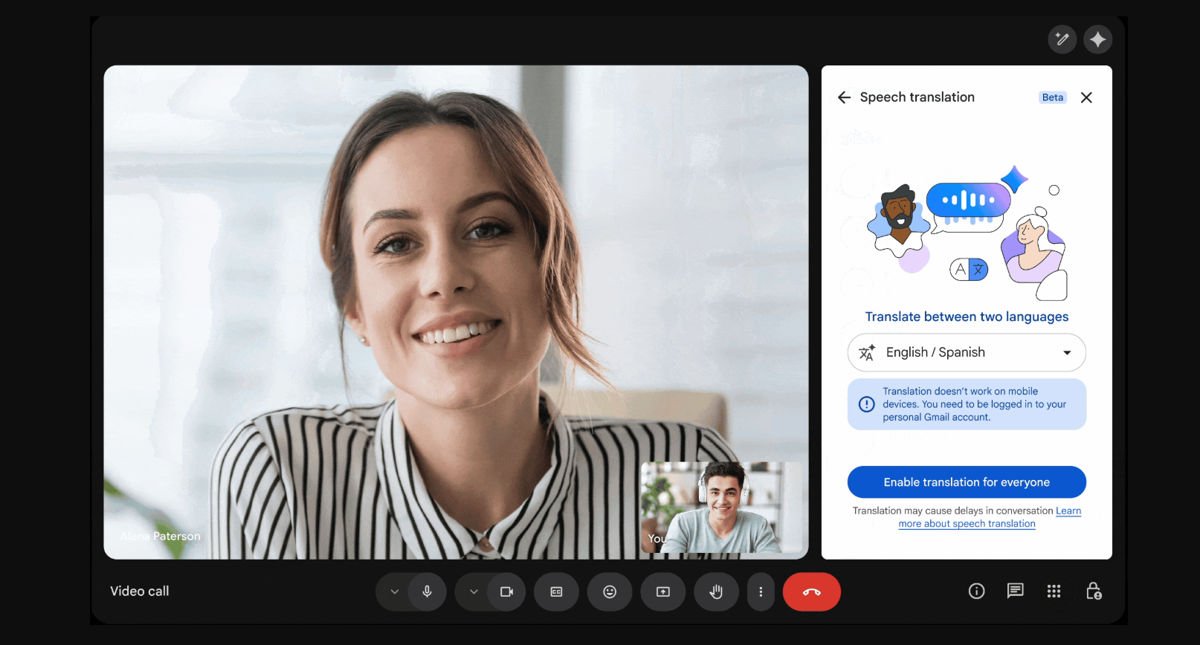
Google Meet translation just went live for Workspace customers after spending months in limited testing. The rollout started on January 27 for Rapid Release domains, with Scheduled Release domains getting access starting February 18.
The feature lets meeting participants speak in their native language while others hear a real-time translation in theirs. Instead of reading captions, you hear an AI-generated voice that mimics the speaker’s tone and pacing. The original speech plays faintly in the background to keep conversations feeling natural.
At launch, Google Meet translation supports translation between English and five other languages: Spanish, French, German, Portuguese, and Italian. Only one language pair can be active per meeting at a time. So if you’re translating between English and Spanish, everyone in that meeting is limited to those two languages.
There’s about a two to three second delay as the AI processes speech. Google says that’s the sweet spot where translation is fast enough to feel conversational but slow enough to stay accurate.
What you can’t do yet
Right now, the feature only works on computers. Mobile support is coming to Android and iOS apps in the coming months, but there’s no exact timeline. Conference room hardware can play translations for people in the room, but it won’t translate what those people say back.
The feature is turned on by default for Workspace admins, but they can disable it at the organizational unit level if needed. Users with Google AI Pro accounts can also use it when joining meetings hosted by other consumer accounts.
Google’s been pushing AI features across Workspace products. Google Translate recently got Gemini AI integration for more natural translations, and Google Fi rolled out AI-enhanced audio to filter background noise on phone calls. Google says it’ll continue improving translation accuracy over the coming months.